Stop Searching Hard Disks.Find Any Photo in 5 Seconds.
64-bit Windows Desktop App • Free Forever • Unlimited Photo Indexing
Built for Photo Studio & Lab Owners
See how FrameFind helps photo studio owners quickly find any photo across their PC, hard drives, and studio storage in seconds.
 FrameFind — Visual Search & Smart Print Crop
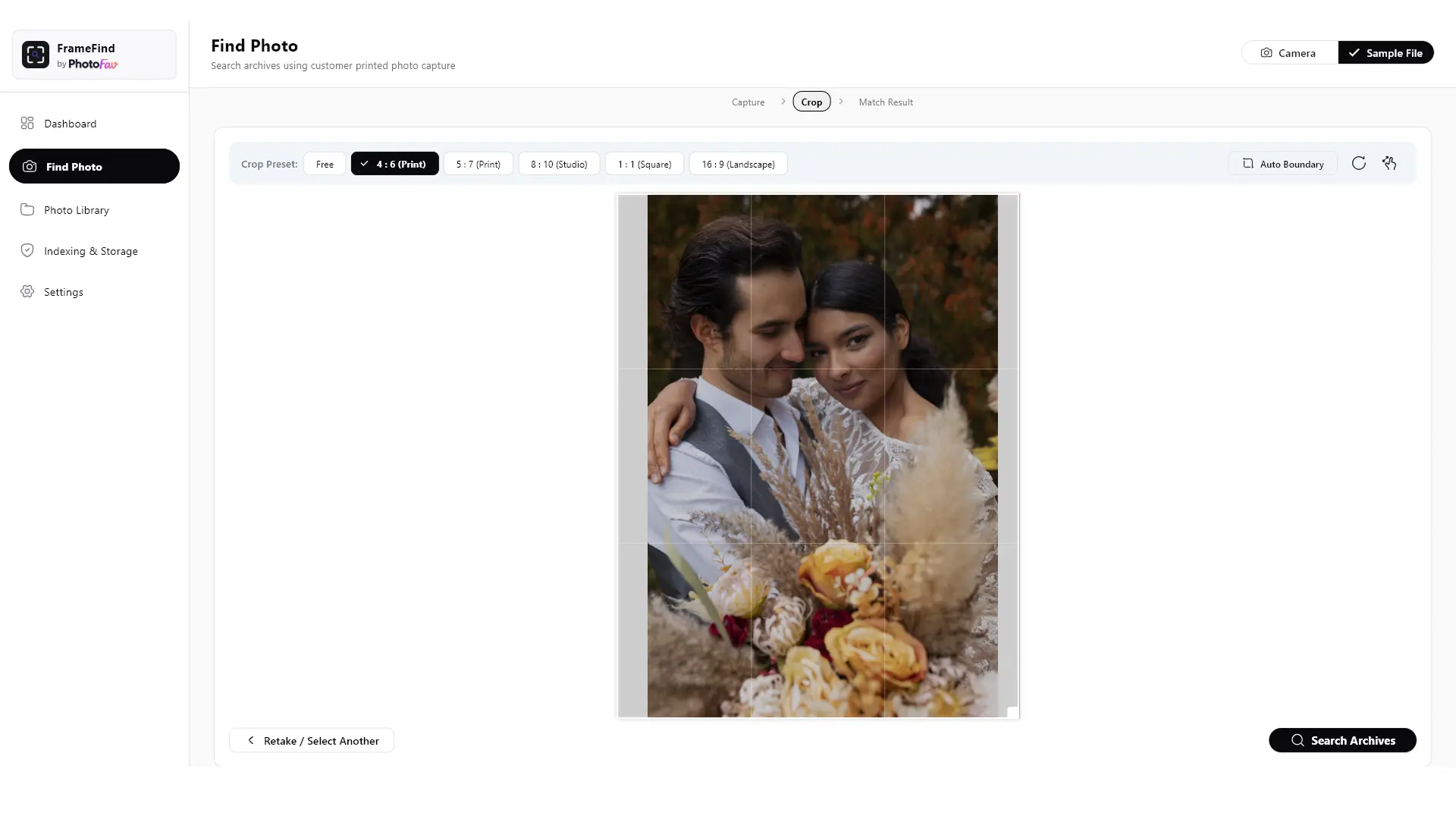
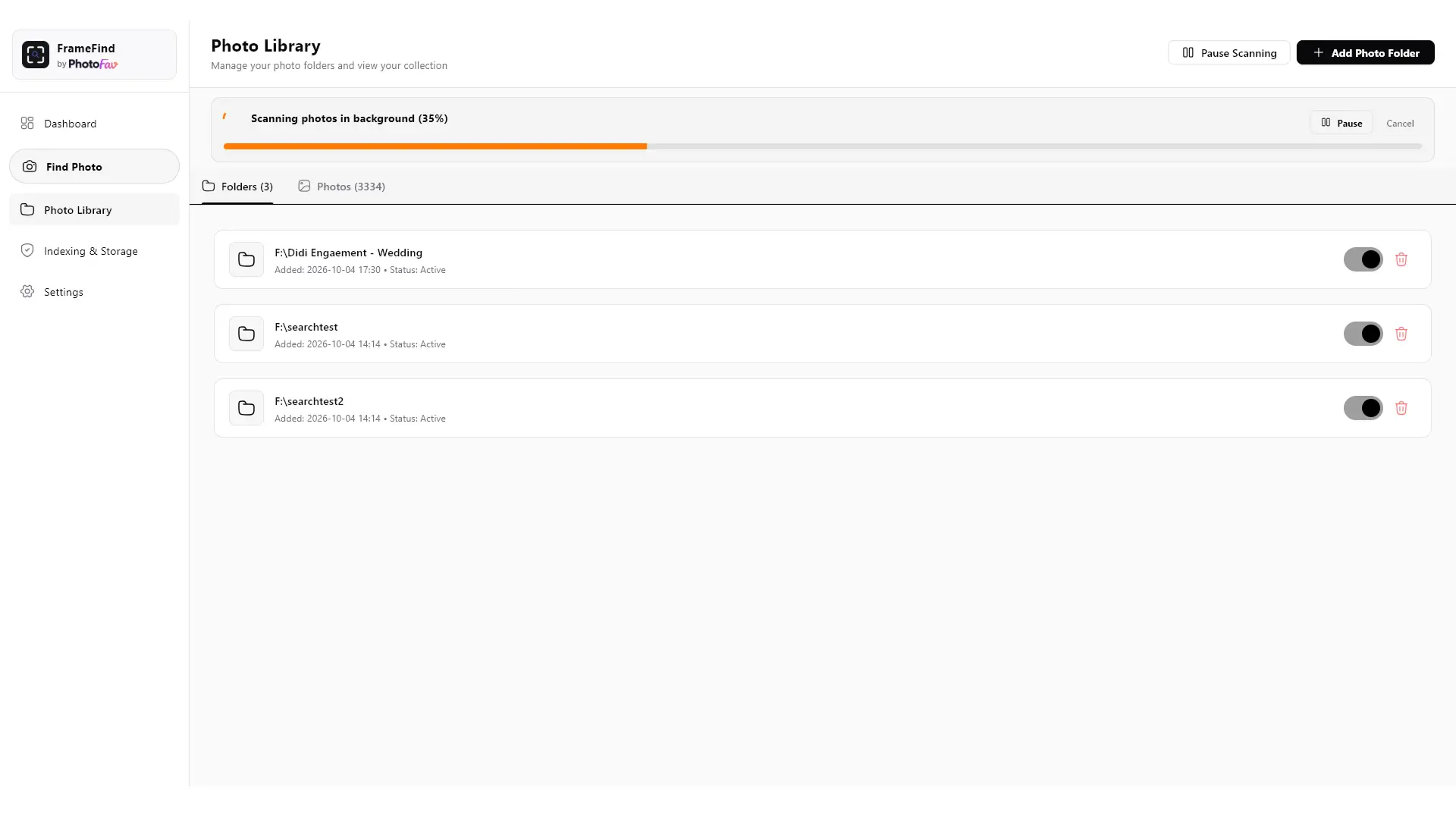
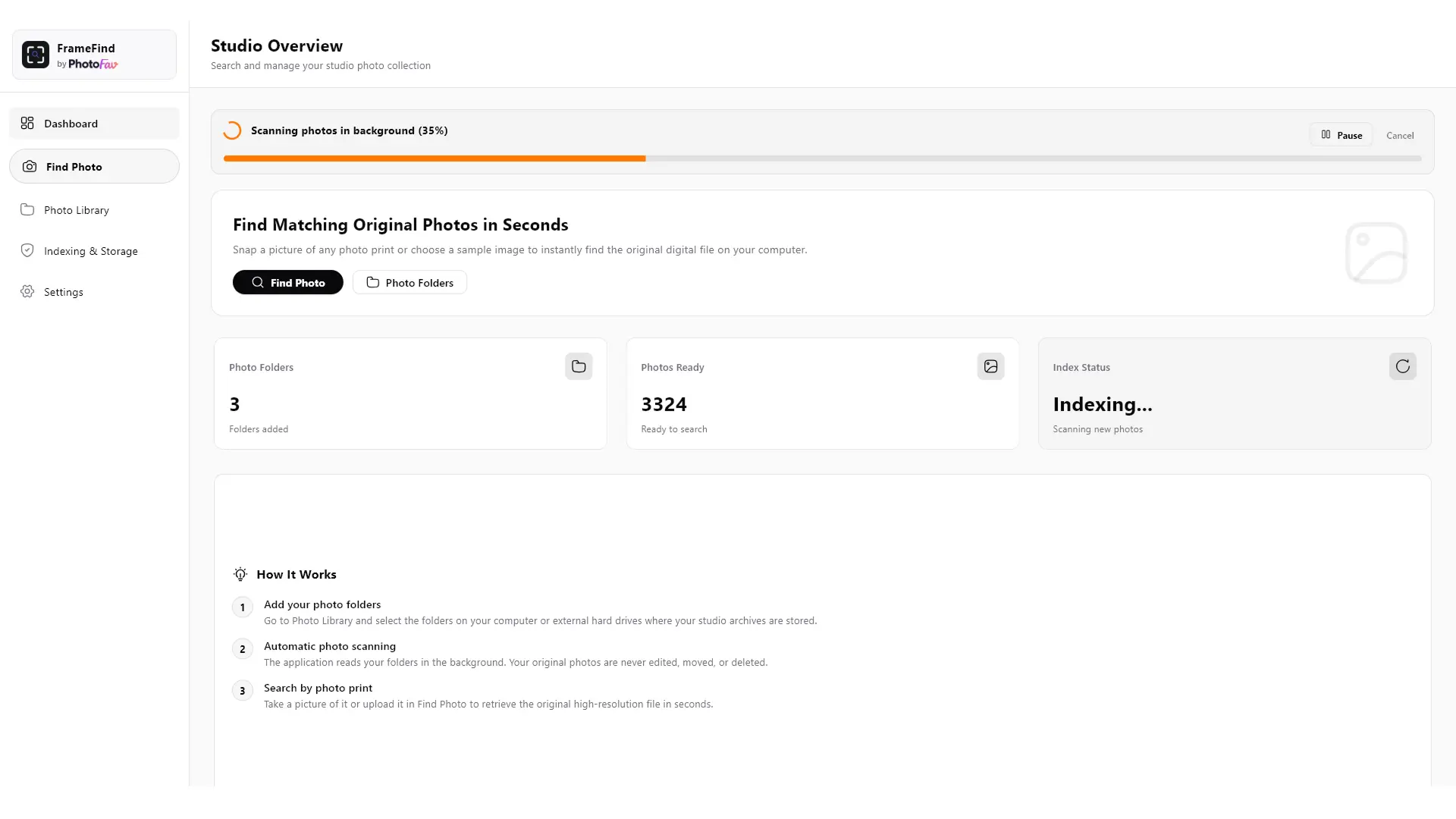
Desk Webcam or Image Drop
Scan client paper prints or phone photos directly without a flatbed scanner.
Studio Print Crop Presets
Instant 4:6, 5:7, 8:10 studio aspect ratios with Auto Boundary alignment.
Instant Master File Retrieval
Opens the original high-resolution master file across terabytes of archives.
From Customer Print to Master RAW in 5 Seconds
No complex setup or file tagging needed. FrameFind indexes your hard drives in the background without modifying your existing folder structure.
Connect Your Hard Drives Once
Plug in your external hard drives (D:\, E:\, F:\) or select your archive folders. FrameFind builds a lightweight visual index in the background without moving, renaming, or compressing any of your master files.
Hold Print to Your Desk Webcam
When a customer arrives with an old paper print, framed photo, or phone snapshot, hold it up to any standard USB desk webcam (or drop a sample file). Choose 4:6, 5:7, 8:10 studio print crop presets with Auto Boundary.
Master File Located in 5s
FrameFind pinpoints the exact original RAW or JPEG file. One click opens the containing folder in Windows Explorer, ready for enlargement printing, Photoshop retouching, album reorders, or framing.
Built for Studio Photo Archives
Designed to handle multi-terabyte wedding collections, 100% offline privacy, and external hard drive workflows.
100% Offline & Safe
Zero internet connection required. FrameFind runs directly on your Windows PC hardware. Client photos never touch third-party servers.
Strict Read-Only Mode
FrameFind never modifies, moves, or renames your original files or folders. Your master photo archives remain 100% untouched and safe.
Works with Any Desk Webcam
Use your existing USB counter webcam or laptop camera. Hold up a printed photo, mobile picture, or framed glass image for instant search.
Works with Disconnected Disks
Even if the drive is unplugged in your drawer, FrameFind tells you: “Located on Drive E: (Seagate 4TB Wedding 2021)” so you know exactly which hard drive to connect.
Common Questions by Photo Studios
How does this photo finding software help with old photo find (5 to 10 years old)?
FrameFind is built specifically for old photo find requests. When a customer arrives years after their wedding or event asking for an old picture, you often do not remember the exact date, client folder name, or disk number. With this photo finding software, simply show any old print or mobile snapshot to your webcam. FrameFind visually matches the composition and opens the exact original high-resolution master file in seconds.
Photo se photo kaise dhundhe: Can I find a customer's photo by just showing another picture to my PC?
Yes. In everyday studio workflow, this is known as photo se photo dhundhna. You do not need to remember customer names or scroll through endless folders. Simply hold any picture (passport size photo, framed print, or phone snapshot) in front of your desk webcam. FrameFind compares the visual face and framing to pinpoint the original uncompressed RAW or JPEG file on your hard drives.
Drive se photo dhundhe: Can FrameFind search across 10+ disconnected hard disks in my drawer?
Yes, absolutely. Most photographers keep 5 to 20 hard drives (Seagate, Western Digital, Toshiba) stored in studio drawers. When you want drive se photo dhundhe, you don't have to plug in all hard drives at once. FrameFind scans each drive once and stores a lightweight visual map. When you search, it tells you: “Located on Drive E: Seagate 4TB Wedding 2021”, so you take out only that specific hard drive.
Urgent memorial / Shradhanjali framing: Can FrameFind find the original photo when the family only has an old passport print?
Yes. In busy photo studios, urgent shradhanjali / memorial framing orders are common, where the family needs a 12x18 or 20x30 print within 1 hour. Instead of manually digging through 10 hard drives or enlarging a blurry passport photo, simply show the passport print to your desk webcam. FrameFind visually locates the original sharp, high-resolution portrait on your hard disk in 5 seconds.
Hard disk me photo kaise khoje: How to find wedding album photos when the customer forgot the year or folder name?
Customers often visit 3 to 7 years after their marriage requesting a reprint or replacement wedding album without remembering the exact date or booking bill. With FrameFind, you don't need folder names or dates. Show any print of the bride or groom to your webcam, and FrameFind matches their face across all your wedding archives and Seagate/WD hard drives.
Face se photo dhundhne wala software: Does FrameFind search photos by face offline on Windows?
Yes. FrameFind is a 100% offline face se photo dhundhne wala software built for Windows 10 & 11. It indexes faces locally on your computer with zero cloud upload. Your studio photo archives stay completely private on your desk, and face search works with 0 internet connection.
Purana photo search: What if the client's printed photo is slightly scratched, faded, or taken from a mobile screen?
FrameFind uses visual facial matching and deep pattern recognition that ignores minor scratches, paper reflections, or slight fading on old printed photographs. Even if the customer takes a picture of a framed photo hanging on their wall with glare, FrameFind accurately identifies the subject and matches the master original camera file.
Can I find photos if the customer only brings a mobile screenshot or phone photo?
Yes. Whether the customer brings an old printed photograph, a framed picture hanging on their wall, or a screenshot on their mobile phone, simply hold it up to your desk webcam or drag-and-drop the photo into FrameFind. FrameFind features standard studio print crop presets (4:6, 5:7, 8:10) with Auto Boundary detection to search accurately.
Does FrameFind work without an internet connection in my studio?
Yes, 100%. FrameFind is a native Windows desktop application that runs completely offline on your computer. You do not need broadband, Wi-Fi, or internet to index your hard drives or search for photos. No monthly cloud storage fees, zero cloud data usage, and complete privacy for client photos.
What kind of webcam do I need on my studio counter?
Any standard USB desk webcam (Logitech, Zebronics, Fingers, Quantum, or your laptop's built-in webcam) works smoothly. You do not need an expensive scanner or DSLR setup on your counter—simply hold the customer's physical paper print in front of your desk webcam.
Will FrameFind modify, rename, or delete any files on my hard drive?
Never. FrameFind operates in strict Read-Only mode. It never deletes, moves, compresses, or renames your original files or folders. Your master photo archives remain 100% intact and safe.
Is FrameFind really free for photography studios?
Yes, completely free forever. There are no monthly fees, no watermarks, and no limits on how many hard drives or photos you can index. FrameFind is an offline gift from PhotoFav to the professional photography community.
Get Started with FrameFind Today
100% offline desktop app for Windows 10 & 11. Free forever for all photo studios, framing shops, and photo labs.